Top 3 highlights of upcoming enhancements to the Power Apps language (Power FX)
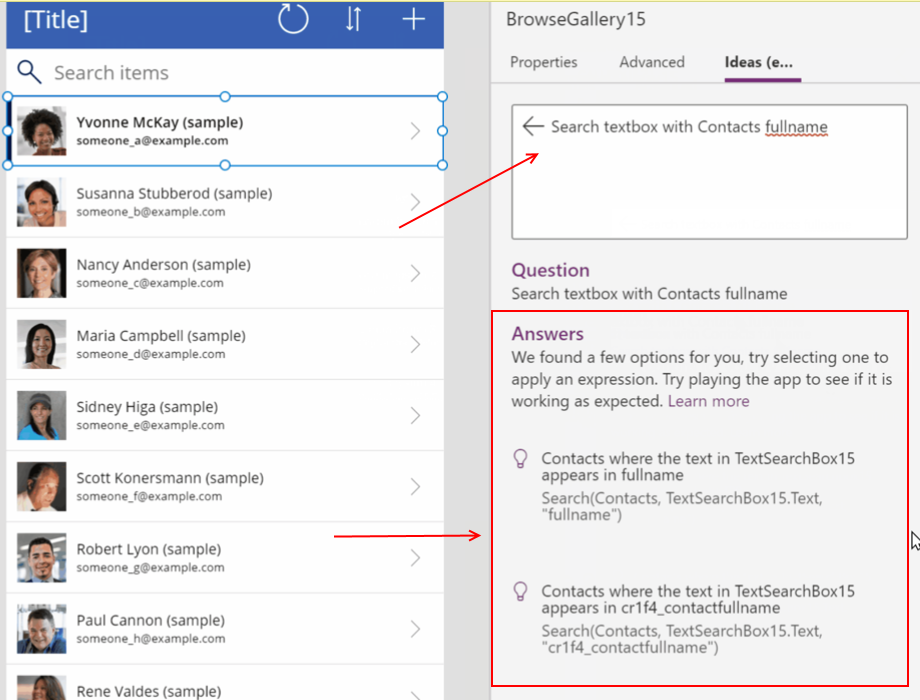
1 - For "no code" app builders, the ability to write formulas using plain English
For app builders who are unfamiliar with formula, it can be a real struggle to build syntactically correct statements. For those users, it can be very difficult to understand the differences between square, curly, and round brackets, and to understand the differences between commas and semi-colons. New users often struggle to resolve typical errors, such as "The formula contains 'ParenClose' where 'Eof' is expected".
2 - Model driven apps will support Power Fx
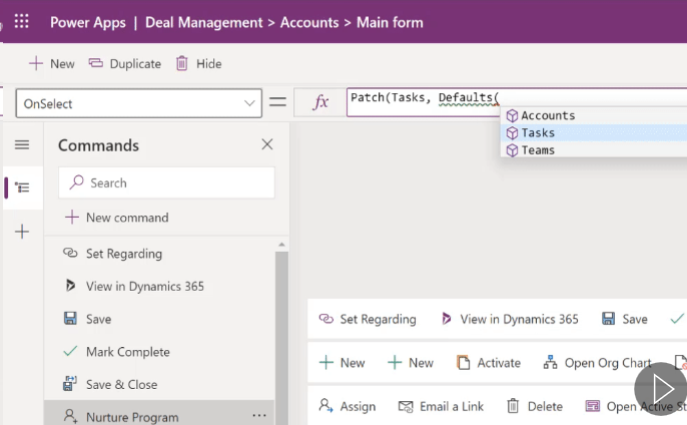
Model driven apps will now support Power Fx, whilst still supporting JavaScript for backwards compatibility.
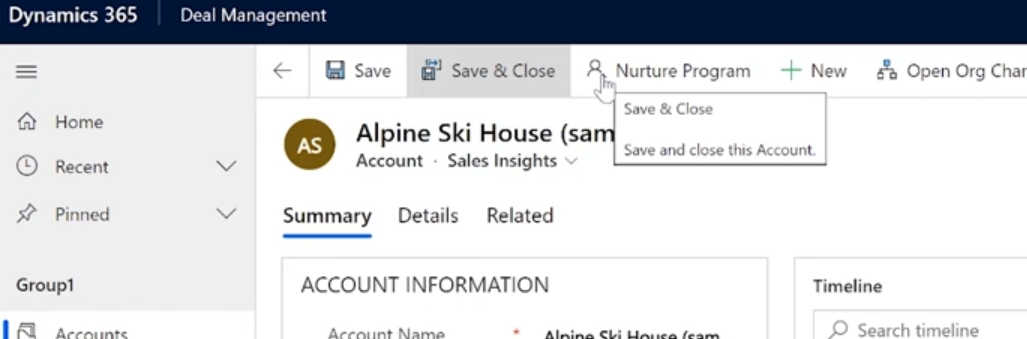
To give an example, it will now be possible to customise the command bar area of an app using the same syntax that we're familiar with when building canvas apps.
 .
.
The screenshot beneath shows how we can now add a button to the command bar, and to define the action by writing a Patch statement. For model driven app builders, this is an enormous improvement.
3 - Dataverse will support Power Fx
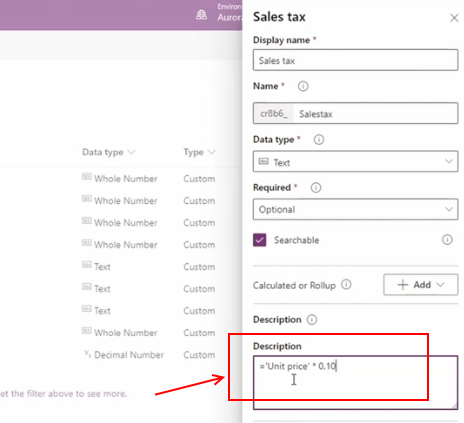
Finally, the data layer (Dataverse) will support Power Fx. App builders will now be able to define calculated columns using Power Fx, rather than the legacy language from CDS (common data service).
In theory, this will extend the capabilities of calculated columns. To give an example, it's currently not possible to retrieve the current date through a calculated column, which makes it impossible to build a calculated column that displays how many days overdue a record is, based on a 'target end date' column. Power Fx support should now resolve this.