Error - Diagnosing the error "Network error when using the Patch function" when saving data with a form
Recreating the Network error when calling Patch error


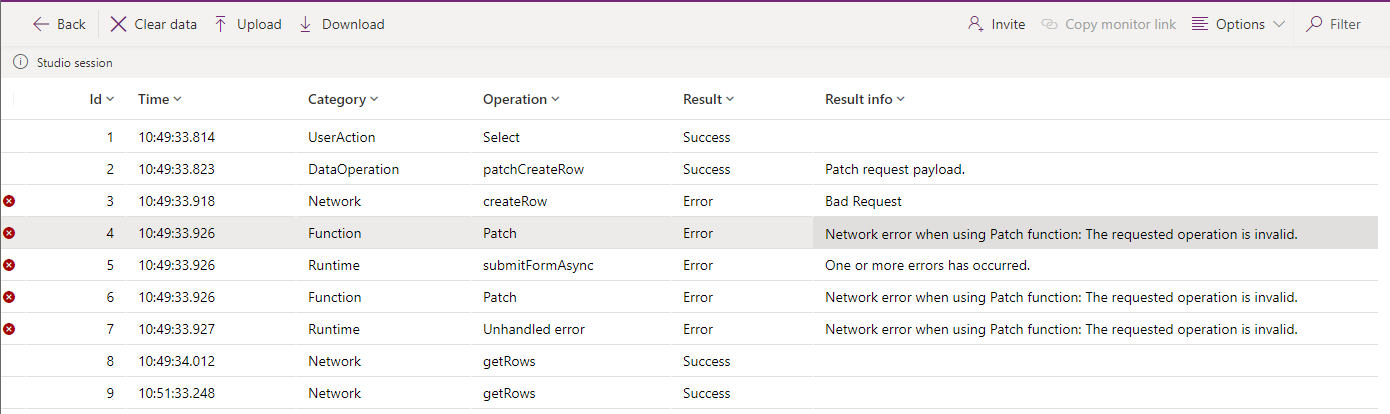
Check the data that's being saved
When records fail to save intermittently, one of the first things to check is the data that we're attempting to save.
With some trial and error, it soon becomes apparent that the length of the data contributes to the error. The record fails to save when long URLs are entered.
On investigating the properties of the field in the Dataverse table designer, it's apparent that the "maximum character count" is set to the default of 250. The app doesn't correctly enforce this 250-character limit and when the user attempts to save a record that exceeds this limit, Power Apps doesn't return a meaningful message that indicates the cause.

The interesting thing is that the failure to enforce the maximum character count applies only to the enhanced Dataverse text types, such as URL. In this example, increasing the maximum character count resolves the problem.
