Canvas App - New Analysis Engine - Is it stable?
It's been about 10 months since the Power Apps New Analysis Engine went to GA (general availability).
A canvas app needs to understand all the properties between controls so that if a value changes, other dependent items are updated and recalculated. It's the Analysis Engine that carries out this task.
The new Analysis Engine was built to improve the speed and efficiency of this task. More importantly, the new Analysis Engine is prerequsite to using features such as app formulas and user defined functions.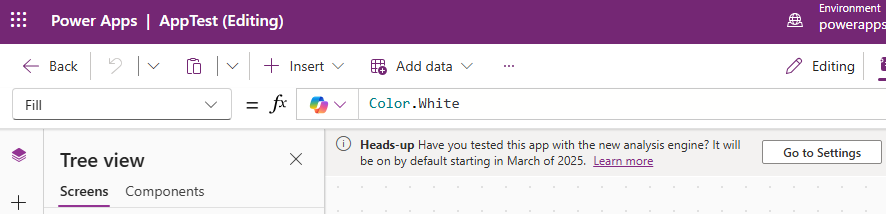
When the new Analysis Engine was released in preview, there were numerous bugs and issues. To be fair, this was expected since it was such a significant underlying change. There was a point where if something didn't work in an app, the first thing to do was to switch off the Analysis Engine setting to see if it fixed the issue.
The post beneath became a master list of all the problems with the new Analysis Engine.
https://community.powerplatform.com/forums/thread/details/?threadid=d9dcb2a5-840d-4d85-b61f-87783a05ba5d
At the start of 2025, there were still occasional performance issues, as highlighted here.
https://community.powerplatform.com/forums/thread/details/?threadid=867bba1d-c25f-ef11-bfe2-7c1e5217aba5
Since then, the new Analysis Engine has stablised. As far as I can see, there are now few reported issues, and it isn't the number one suspect when something unexpected doesn't work.
Therefore, it was unusual to see this reported problem with CountRows.
https://community.powerplatform.com/forums/thread/details/?threadid=b5bb4120-6e7e-f011-b4cc-6045bdd3ff2a
This highlights that issues may still exist with the Analysis Engine, so it's a reminder that it's still worth examining this setting when diagnosing problems.
Whilst most the problems are resolved, here's a summary of some of previous reported issues. So if you discover a bug in these general areas, it's worth investigating the new Analysis Engine setting.
A canvas app needs to understand all the properties between controls so that if a value changes, other dependent items are updated and recalculated. It's the Analysis Engine that carries out this task.
The new Analysis Engine was built to improve the speed and efficiency of this task. More importantly, the new Analysis Engine is prerequsite to using features such as app formulas and user defined functions.
When the new Analysis Engine was released in preview, there were numerous bugs and issues. To be fair, this was expected since it was such a significant underlying change. There was a point where if something didn't work in an app, the first thing to do was to switch off the Analysis Engine setting to see if it fixed the issue.
The post beneath became a master list of all the problems with the new Analysis Engine.
https://community.powerplatform.com/forums/thread/details/?threadid=d9dcb2a5-840d-4d85-b61f-87783a05ba5d
At the start of 2025, there were still occasional performance issues, as highlighted here.
https://community.powerplatform.com/forums/thread/details/?threadid=867bba1d-c25f-ef11-bfe2-7c1e5217aba5
Since then, the new Analysis Engine has stablised. As far as I can see, there are now few reported issues, and it isn't the number one suspect when something unexpected doesn't work.
Therefore, it was unusual to see this reported problem with CountRows.
https://community.powerplatform.com/forums/thread/details/?threadid=b5bb4120-6e7e-f011-b4cc-6045bdd3ff2a
This highlights that issues may still exist with the Analysis Engine, so it's a reminder that it's still worth examining this setting when diagnosing problems.
Whilst most the problems are resolved, here's a summary of some of previous reported issues. So if you discover a bug in these general areas, it's worth investigating the new Analysis Engine setting.
- Extreme Performance Lag when Renaming Controls
Renaming any component within a DataCard or form has been reported to take over a minute and sometimes cause Power Apps Studio to freeze. - Collection Visibility and Binding Failures:
Enabling the engine can make collections "invisible" in the designer They may not appear in the list of data sources for gallery binding and removed collections may still appear incorrectly in the data sources tab. - Broken Gallery and Combo Box Functionality:
Combo boxes may fail to retrieve related lookup columns and a workaround is to add a separate label to reference the record to trigger the binding. - App Host Initialization Timeouts:
The engine has been linked to custom pages and apps failing to load, resulting in errors like "Shared App host initialization has timed out" or a permanent white screen. - Logic and Variable Name Conflicts:
The formula bar shows errors that disappear when the formula is manually edited. Using a global variable named 'defaults' can trigger errors.
