Controls - How to Automatically Rename All Controls on a Screen with Copilot
When building apps, we've all been guilty of littering apps with unclear or default control names, such as Button1, TextInput3, or Gallery2, and so on.
Over time, this makes the app harder to maintain, especially when debugging or adding new features. Renaming controls manually is tedious, and something that many choose to avoid.
With the recent updates to Copilot in Power Apps, there's now a simple way to carry out this task. Copilot can automatically identify and rename controls based on their purpose and usage, resulting in easier to understand and maintain apps.
With the recent updates to Copilot in Power Apps, there's now a simple way to carry out this task. Copilot can automatically identify and rename controls based on their purpose and usage, resulting in easier to understand and maintain apps.
Here's a walkthrough of the how to use this feature.
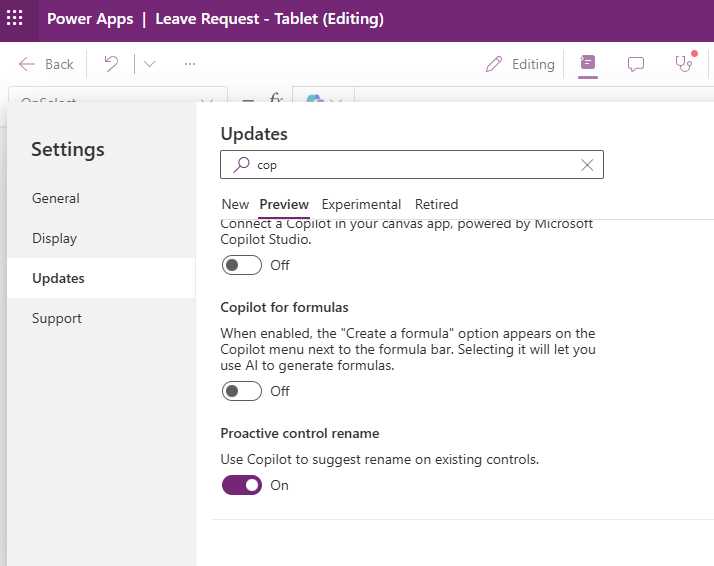
The first step is to enable the 'Proactive control rename' feature in the settings (shown below). Note that the new Analysis Engine setting must be enabled to enable this feature.
Renaming all controls automatically with Copilot
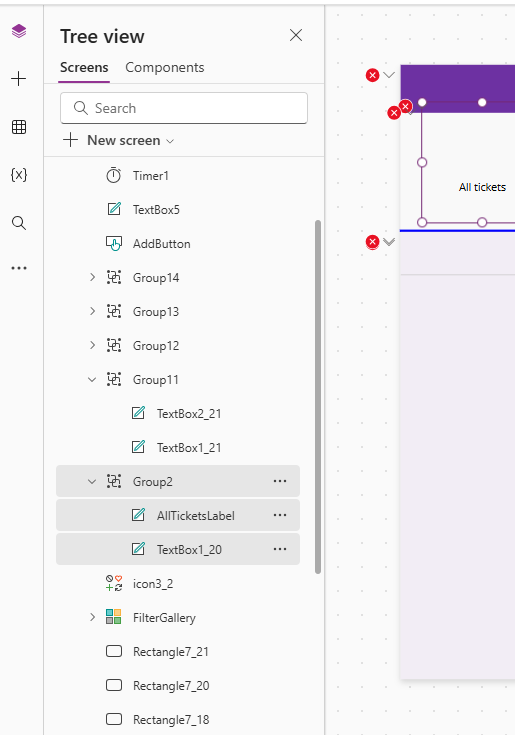
To demonstrate this feature, here's an example app. Note the messy names that in use - like TextBox2_21, TextBox1_21, TextBox5 and so on.This highlights the maintainability issue with this app. There's no meaningful way to see the purpose of any of these controls.
The first step is to make an initial rename of a control by using right click menu item.
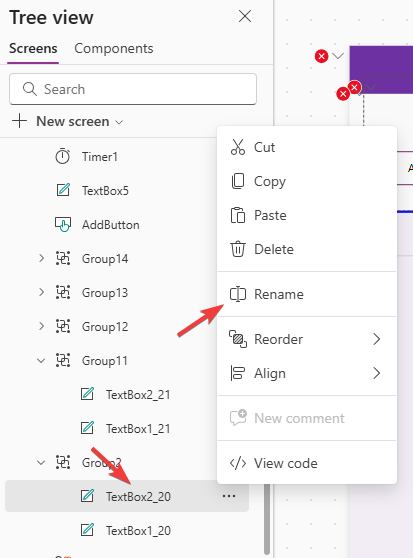
For this example, I renamed the control to AllTicketsLabel (yes, this was a label despite the original Textbox name!).
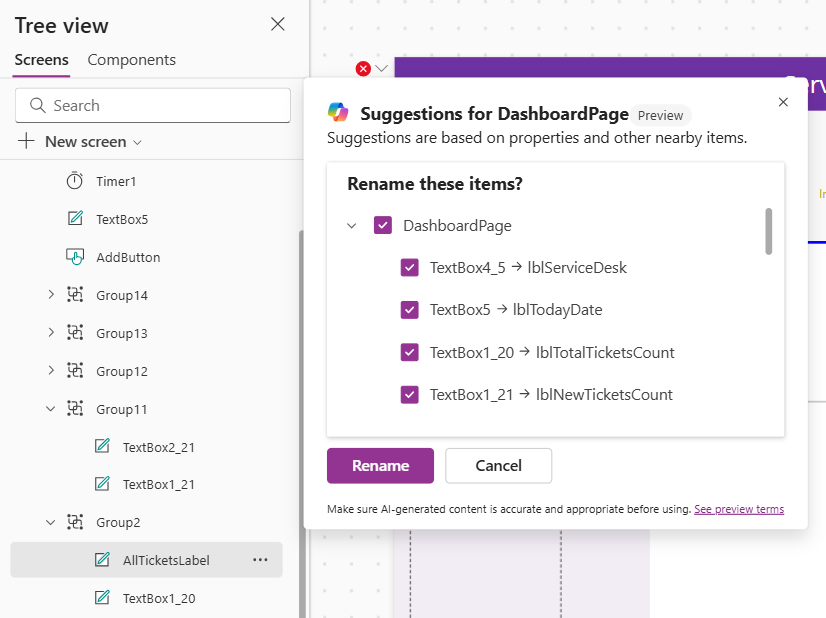
Immediately after the rename, a Copilot icon appears. Clicking it opens a dialog shown below with rename suggestions for every other label on the screen. It does an impressive job of suggesting appropriate names based on the text in the labels. Clicking the 'Rename' button applies the changes.
What are the limitations of this feature?
The current limitation is that only buttons and labels are supported, and these controls must have a text value set in order to Copilot to suggest a new name.It would be great if the feature could be extended to rename other controls, but understandably this could be a difficult task for controls with no text property.
