What languages does Power Apps support, and how to start Power Apps in a different langauge?
How to find out the languages that Power Apps supports
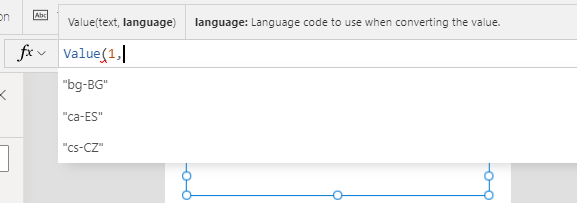
A great way to find out the languages that Power Apps supports is to add a label and to start writing formula to parse a number with the Value function.Value(1,The intellisense in the designer will display a list of supported language codes, as shown beneath. The list that we see here should be up to date, and will include any new languages that Microsoft subsequently add.
How to run Power Apps Studio in a different language
As I described in my earlier post beneath, the display languge in Power Apps corresponds to the default language that we specify in the browser settings.
http://powerappsguide.com/blog/post/general-how-to-change-the-language-of-power-apps-studio
A useful tip is that we can override the langauge by appending a parameter called 'l' to the end of the web address in Power Apps Studio. This technique works particularly well when we want to run Power Apps temporarily in a different language, perhaps during times when we want to diagnose a problem for a user in a different country.
An example of the URL we would use looks like this:
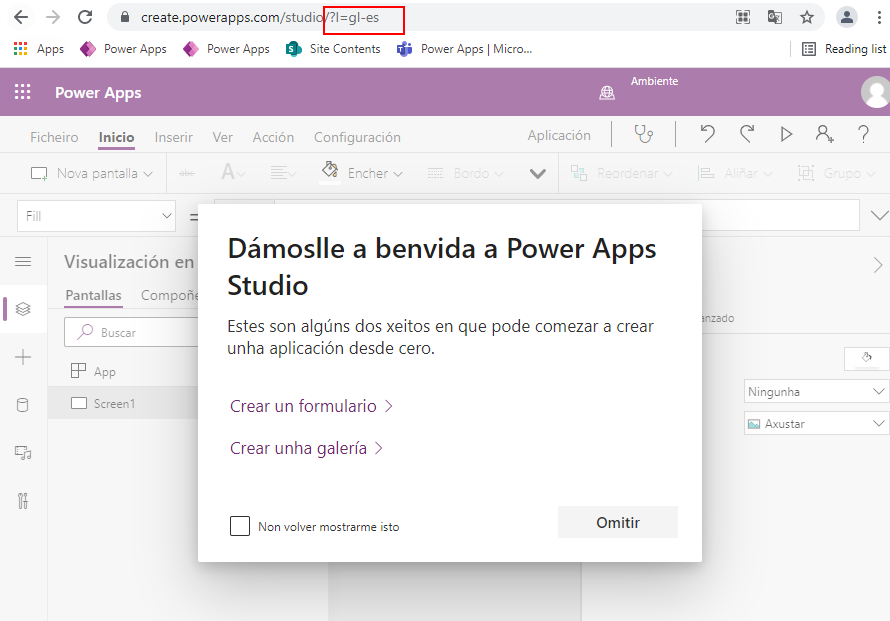
https://create.powerapps.com/studio/?l=gl-esThe screenshot beneath demonstrates how we can start Power Apps in Galician by appending the language code gl-es to the address.
List of langauges that Power Apps supports (June 2021)
In the table beneath, I have created a list of supported languages, with hyperlinks to start Power Apps studio in the selected langauge.
This provides a quick way to start Power Apps in the language of your choice.
