SQL - What to do when edit/add/delete options missing from an app, or edit controls unavailable in forms
In almost all cases, the answer is that there is no primary key column on the target table. Power Apps requires a primary key column to uniquely identify rows, and adding a primary key will solve this problem.
For users who are less familiar with SQL Server, this post describes the problem, and the steps to correctly setup a table to work with Power Apps.
Overview of Problem
To illustrate the problem, let's create a table from SQL Server Management Studio without a primary key.
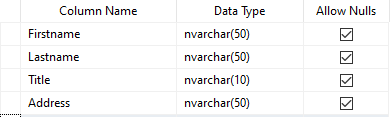
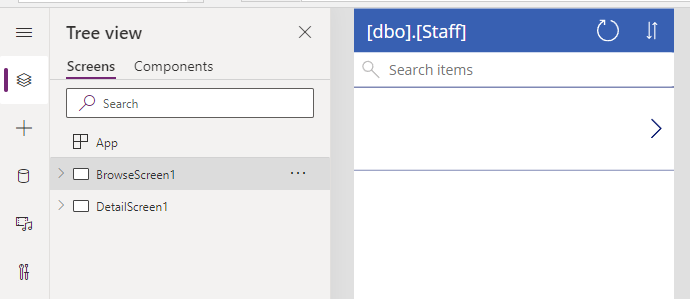
If we now create an auto-generated app by selecting the "start with data option", the app will not contain an edit screen, and the button to edit an existing record and to delete a record will be missing.
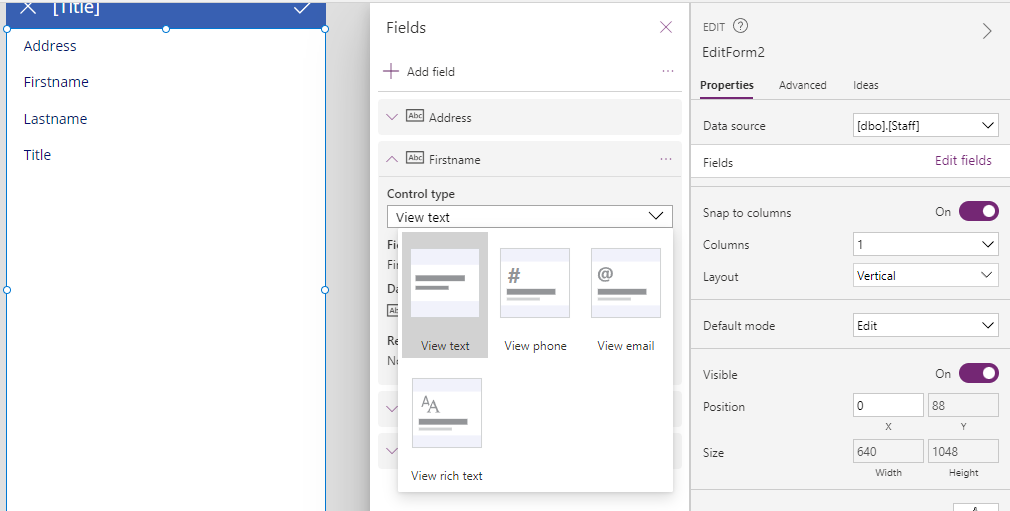
Furthermore, the form control will not provide the option to change the control type of a field to an editable control, as shown beneath.
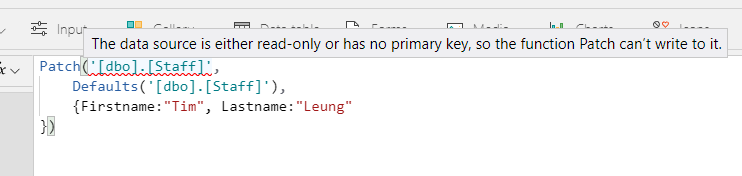
If we choose not to use a form control and instead, create or edit records by calling the Patch function, this is the error that occurs.
"The data source is either read-only or has no primary key, so the function Patch can't write to it."
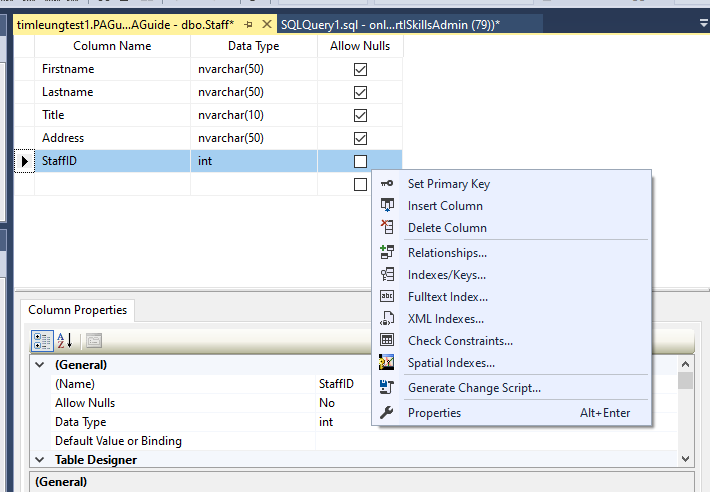
How to define a primary key column in SQL Management Studio
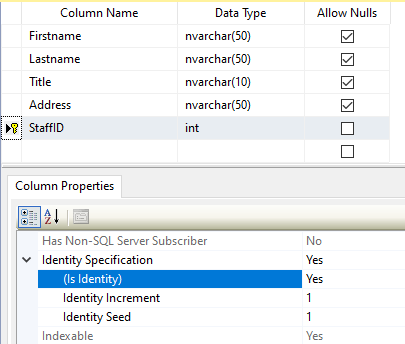
The easiest way to resolve this issue is to define an auto-incrementing int column on the target table, and to set the column as a primary key by using the right-click context menu.
In the properties of the column, setting the "is identity" value to "yes" will configure the column as an auto-incrementing integer.
Can Power Apps work with tables with Composite Keys?
Adding an identity column is the easiest way to set up a table that is updatable from Power Apps. Text columns of data type varchar/nvarchar that are defined as a primary key are also acceptable.
A question that sometimes arises is - does Power Apps support SQL Server tables with composite primary keys? The answer to this question is yes.
Here's an example of a table with a composite key.
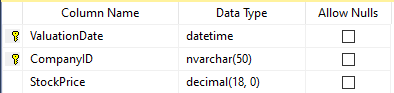
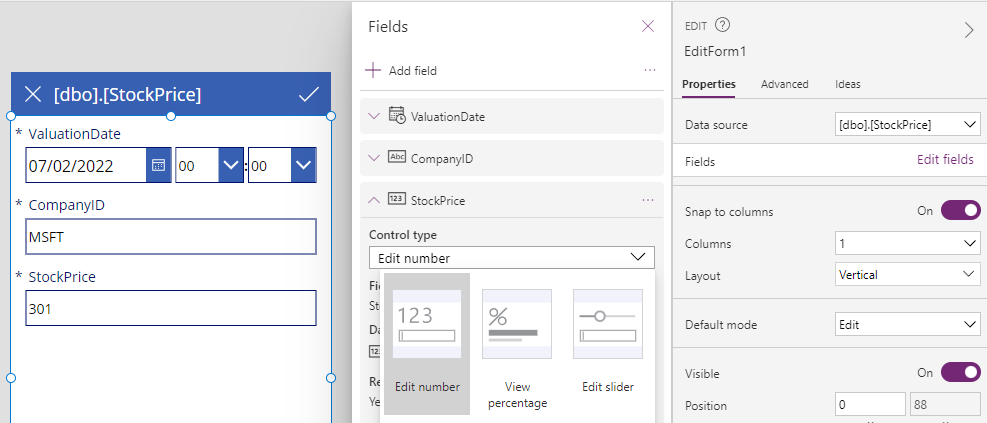
As this screenshot below illustrates, all fields can be made editable through the form control.