Power Up - How to fix Student and Book Copy dropdowns not working in Libraray Check In/Check Out screen
An issue that some Power Up students may encounter when working through the Cavas excercies, is that the Student and Book Copy dropdown controls in the Libraray Check In/Check Out screen are empty.
The distinguishing feature with this issue is that the drop-down will populate with blank items rather than no items at all, as the screenshot below illustrates.
If you experience this issue, the first thing to check are the 'items' property of the drop-down boxes.
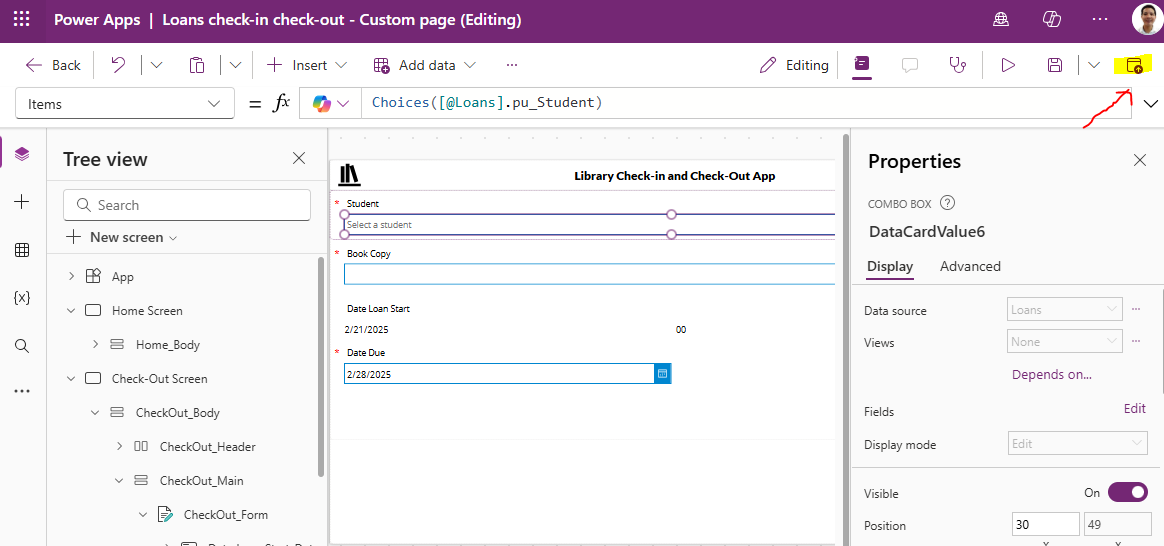
The Items property of the Student dropdown should be set like this.
Choices([@Loans].pu_Student)
If you see single quotes around the name like so, you'll probably experience the problem.
//Incorrect Formula with quotes
Choices([@Loans].'pu_Student')
The bug is caused by this update to Power FX syntax that has recently moved out of preview.
How to solve the problem
To solve this problem, delete the Items property of the 2 dropdowns and retype the formula.Next, republish the canvas page by clicking the publish button in the top right of the toolbar (shown below).
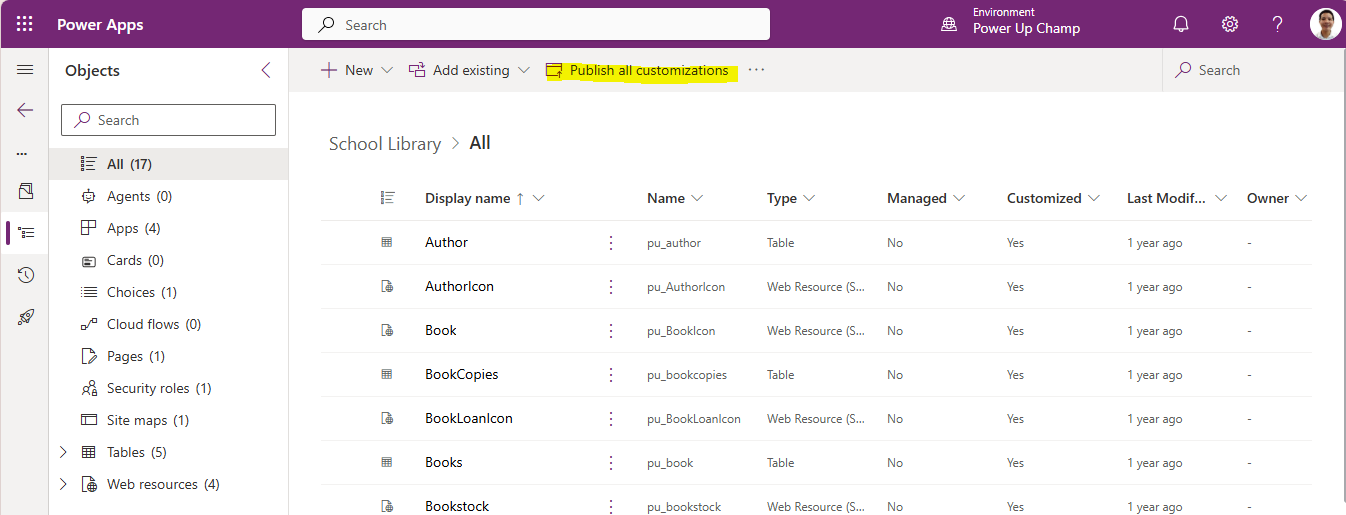
Next, republish the solution by clicking the 'publish all customisations' in the solution editor.
If you follow these steps, the drop-down boxes will hopefully appear with the correct values when you re-run the app.
Conclusion
Update to the Power Apps designer may cause dropdown boxes to show empty items. To fix this, retype the Items properties of the combo box controls and republish the app and solution.
CC
